MomijiUI — UE とブラウザで動く JSON の画面
MomijiUI — JSON Screens for UE & Web
最新の版 0.1.0(2026-10-22)Latest version 0.1.0 (2026-10-22) · すべての版All versions
- 導入ガイドSetup guideUE で見本を動かし、自分の画面を 1 つ書いて検査するまでの一本道From running the sample in Unreal Engine to writing and checking your own screen
- リファレンスReference部品とその項目・画面の鍵・診断のコードNode types and their keys, screen keys and diagnostic codes
- 更新履歴Changelog版ごとに何が変わったかWhat changed in each version
GitHub(ソース・MIT・ベータ版の Releases)GitHub (source, MIT, beta releases) · github.com/kaedeasset/momiji-ui
ゲームの画面を JSON で書き、Unreal Engine 5(Slate)とブラウザ(canvas)で同じように描きます。配置・入力・焦点・日本語入力のできる文字欄・動き・テーマを 1 度書けば済み、描く前の検査が誤りを場所つきで知らせます。照合の試料で 2 つの描画器を突き合わせています。無料・MIT ライセンスです。
Write game screens as JSON and draw them the same way in Unreal Engine 5 (Slate) and in the browser (canvas). Layout, input, focus, text fields with IME, animation and themes are defined once, and a check reports mistakes with their location before you draw. Conformance fixtures compare the two renderers. Free and MIT licensed.
見本だけを開くOpen the example on its own
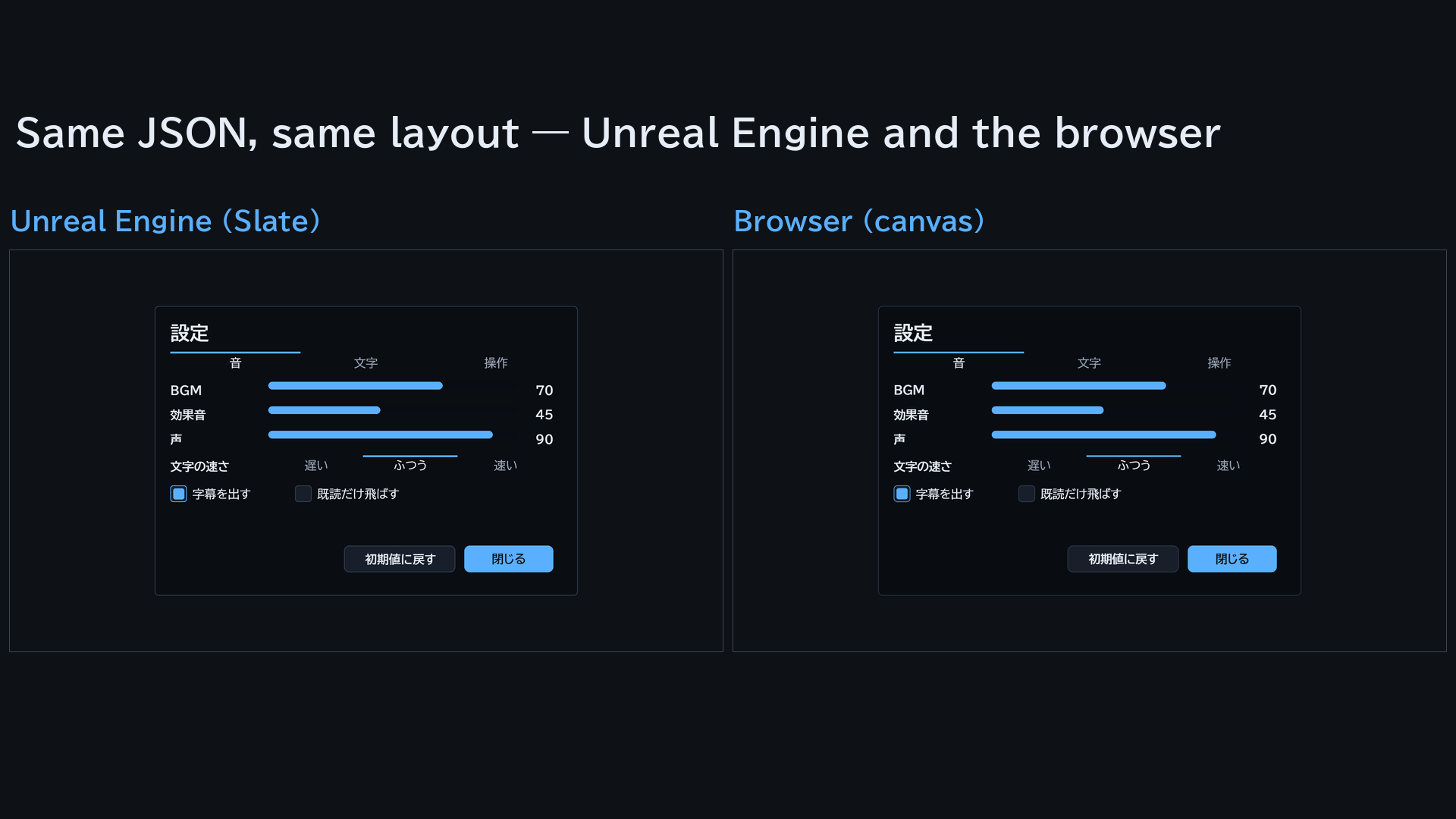
画面は 1 つ、描き手は 2 つ。 MomijiUI の画面は JSON のファイルです(部品・大きさ・色・字の大きさ・並び・条件)。Unreal Engine は Slate で描き、ブラウザ版は同じファイルを HTML の canvas に描きます。位置・押せる場所・焦点の動きは同じです。プラグインに入っている照合の試料 19 枚で、2 つを突き合わせています。あなたのプログラムは値を渡して動作を受け取るだけなので、画面の形を変えるのにコードを組み立て直す必要はありません。
部品 17 種。
板・画像・文字・ボタン・スライダー・トグル・トグルの組・スクロール・モーダル・縦/横/格子の並び・1 行の文字欄・折れ線・楕円・多角形・区切り線。縦と横の並びは子を積んで残りを flex で分け、文字は折り返し、高さは中身から決まります。anchor で箱を端や真ん中に寄せます(7 つ)。
値を入れ、動作を受け取る。
描くたびに、文字・数・一覧を渡します。{鍵} が置き換わり、repeat と型(template)で一覧を並べ(要素の種類ごとに型を替えることもできます)、showIf・hideIf・enabledIf・highlightIf に count >= 5 && ready のような条件を書けます。押された部品は、その action の文字列であなたのプログラムに届きます。ブラウザでは、種類(押した・文字欄で Enter・スライダー・トグル)と値つきの事象で届きます。Unreal Engine では action とスライダーの位置が届き、文字欄の中身は名前で読みます。
焦点と入力。
マウスの押す・ホイール・スクロール条のつまみ・スライダーのドラッグは MomijiUI が受けます。焦点は部品の位置から移ります。ブラウザでは方向キーと Enter/Space がそのまま効き、ゲームパッド(と Unreal Engine のキー)は、あなたのプログラムが焦点を移す・決めるの呼び出しを 1 つずつします。モーダルは焦点を中へ取り、閉じると戻します。文字欄は日本語入力ができます。板・縦の並び・スクロールに selectable を書くと、遊ぶ人が中の文字をなぞってクリップボードへ写せます。
動きとテーマ。 動きの鍵は 9 つ。初めて出るときの出方(フェード・スライド・ポップ)・数の数え上げ・脈動・一覧を順に出す遅れ、Unreal Engine ではさらに点滅・上下の揺れ・絵のコマ送り・消えるときの動き・スライダーの補間。内蔵のテーマ 3 つ(atelier・midnight・sakura)か、自分のテーマの JSON。Unreal Engine では見た目の鍵で、窓の形・二重や飾りの枠・影・濃淡・面取り・絵の 9 分割の枠・模様・文字の縁取りと光を足せます。
描く前に検査。 知らない部品・綴り違いの鍵・型違い・列挙の外の値・同じ id・名前の色・型の無い一覧を、JSON の場所つきで知らせます。Unreal Engine とブラウザで同じコードです。
書体を同梱。 BIZ UDP ゴシック・BIZ UDP 明朝(Regular と Bold)・手書き風の Yomogi・ドットの DotGothic16。どれも SIL Open Font License です。英語版の Windows でも日本語が出て、書体は書き出したゲームに一緒に積まれます。
使われている所。 kaedeasset の KaedeRPG(RPG 制作ツール)と KaedeVN(ノベルゲームエンジン)のゲームの画面は、MomijiUI で描いています。
入っているもの
- 実行時のモジュール 2 つ:
MomijiUICore(読み込み・配置・値・条件・動き・検査。素の C++)とMomijiUISlate(Slate のキャンバスのウィジェットSKaedeUiCanvas) - 部品 17 種・動きの鍵 9 つ・内蔵のテーマ 3 つとテーマの鍵 29
- 見本のカウンターの画面(
Examples/counter.json)とそのウィジェット。起動引数-KaedeUiExample=counterで出す - 画面の絵を撮る起動引数
-KaedeUiShot=<画面 JSON> - 照合の試料 19 枚
- 書体 4 種と許諾文
- 導入ガイドと全項目のリファレンス(日本語と英語)
ご注意
- C++ から使います。 Blueprint の部品と UMG のウィジェットは、まだありません。
- ブラウザ版は Fab の zip に入っていません。 GitHub(https://github.com/kaedeasset/momiji-ui/releases)から取れます。説明書の Web でも動きを見られます。
- ブラウザでは、見た目の鍵とテーマの形の鍵は検査を通りますが、まだ描きません。多角形と区切り線は四角で描き、書体はゴシックだけです。
- Unreal Engine のキーボードとゲームパッド、ブラウザのゲームパッドの入力は、あなたのプログラムが描画器へ渡します(焦点を移す・決めるの呼び出しが 1 つずつ)。ブラウザの方向キーと Enter/Space は
attachが受けます。 - 読み上げ(スクリーンリーダー)には対応していません。
- 確かめているのは Windows(Unreal Engine 5.8)だけです。
これからの計画 — 順は入れ替わることがあります。時期は書きません。
- ブラウザ版を GitHub で公開する。
- 見た目の鍵をブラウザでも描く。
- 見本を増やす。
One screen, two renderers. A MomijiUI screen is a JSON file: nodes, sizes, colors, font sizes, ordering and conditions. Unreal Engine draws it with Slate, and the browser version draws the same file on an HTML canvas, with the same positions, the same clickable areas and the same focus movement. 19 conformance fixtures, included in the plugin, are used to compare the two. Your program only passes values and receives actions, so changing a screen's layout does not require rebuilding code.
17 node types.
Panel, image, text label, button, slider, toggle, toggle group, scroll view, modal, vertical / horizontal / grid layouts, one-line text field, polyline, ellipse, polygon and divider. Vertical and horizontal layouts stack their children and share the rest with flex; labels wrap text, and heights are worked out from the content. anchor sticks a box to an edge or the center (7 values).
Data in, actions out.
Each time you draw, pass text, numbers and lists. {key} placeholders are filled in, repeat with a template lays out a list (with a different template per item kind if you like), and showIf, hideIf, enabledIf and highlightIf take conditions such as count >= 5 && ready. Pressed nodes come back to your program as their action string. In the browser, events are typed — press, submit (Enter in a text field), slider and toggle — with their values; in Unreal Engine you receive the action and the slider position, and read text fields by name.
Focus and input.
Mouse presses, the wheel, scroll-bar thumbs and slider drags are handled for you. Focus moves from node to node by position: in the browser the arrow keys and Enter / Space work out of the box, and for gamepads (and for keys in Unreal Engine) your program makes one call to move focus and one to confirm. A modal takes focus and gives it back when it closes. Text fields support Japanese IME. Mark a panel, vertical layout or scroll view selectable and players can drag over its text to copy it to the clipboard.
Motion and themes. Nine animation keys: how a node first appears (fade, slide, pop), counting numbers up, pulsing, staggered lists, and in Unreal Engine also blinking, bobbing, sprite frames, exit animations and slider tweens. Three built-in themes (atelier, midnight, sakura), or your own theme JSON. In Unreal Engine, visual keys add window shapes, double and ornate frames, shadows, gradients, bevels, nine-slice frame images, patterns, and text outlines and glows.
Checked before drawing. The check reports unknown node types, misspelled keys, wrong value types, values outside an enumeration, duplicate ids, named colors and missing templates, each with its JSON location — the same codes in Unreal Engine and in the browser.
Bundled fonts. BIZ UDPGothic and BIZ UDPMincho (Regular and Bold), the handwriting-style Yomogi and the pixel font DotGothic16, all under the SIL Open Font License. Japanese text shows even on English Windows, and the fonts are staged with your packaged game.
Used in production. The game screens of kaedeasset's KaedeRPG (an RPG creation tool) and KaedeVN (a visual novel engine) are drawn with MomijiUI.
Included
- Two runtime modules:
MomijiUICore(reading, layout, values, conditions, animation, check; plain C++) andMomijiUISlate(the Slate canvas widgetSKaedeUiCanvas) - 17 node types, 9 animation keys, 3 built-in themes and 29 theme keys
- A sample counter screen (
Examples/counter.json) with its widget, shown with the launch argument-KaedeUiExample=counter - The launch argument
-KaedeUiShot=<screen JSON>to take a picture of a screen - 19 conformance fixtures
- Four font families with their licenses
- Setup guide and full reference in English and Japanese
Please note
- Use it from C++. There are no Blueprint nodes and no UMG widgets yet.
- The browser version is not in the Fab download. Get it from GitHub (https://github.com/kaedeasset/momiji-ui/releases); you can also see it run on the documentation site.
- In the browser, the visual keys and theme shape keys are accepted by the check but not drawn yet, polygons and dividers are drawn as plain rectangles, and only the Gothic font is used.
- In Unreal Engine, keyboard and gamepad input, and in the browser gamepad input, are passed to the renderer by your program (one call each for moving focus and confirming). In the browser,
attachhandles the arrow keys and Enter / Space. - Screen readers are not supported.
- Checked on Windows only (Unreal Engine 5.8).
Roadmap — the order may change, and there are no dates
- Publishing the browser version on GitHub.
- Drawing the visual keys in the browser too.
- More samples.
画面Screenshots
The same JSON in Unreal Engine and in the browser 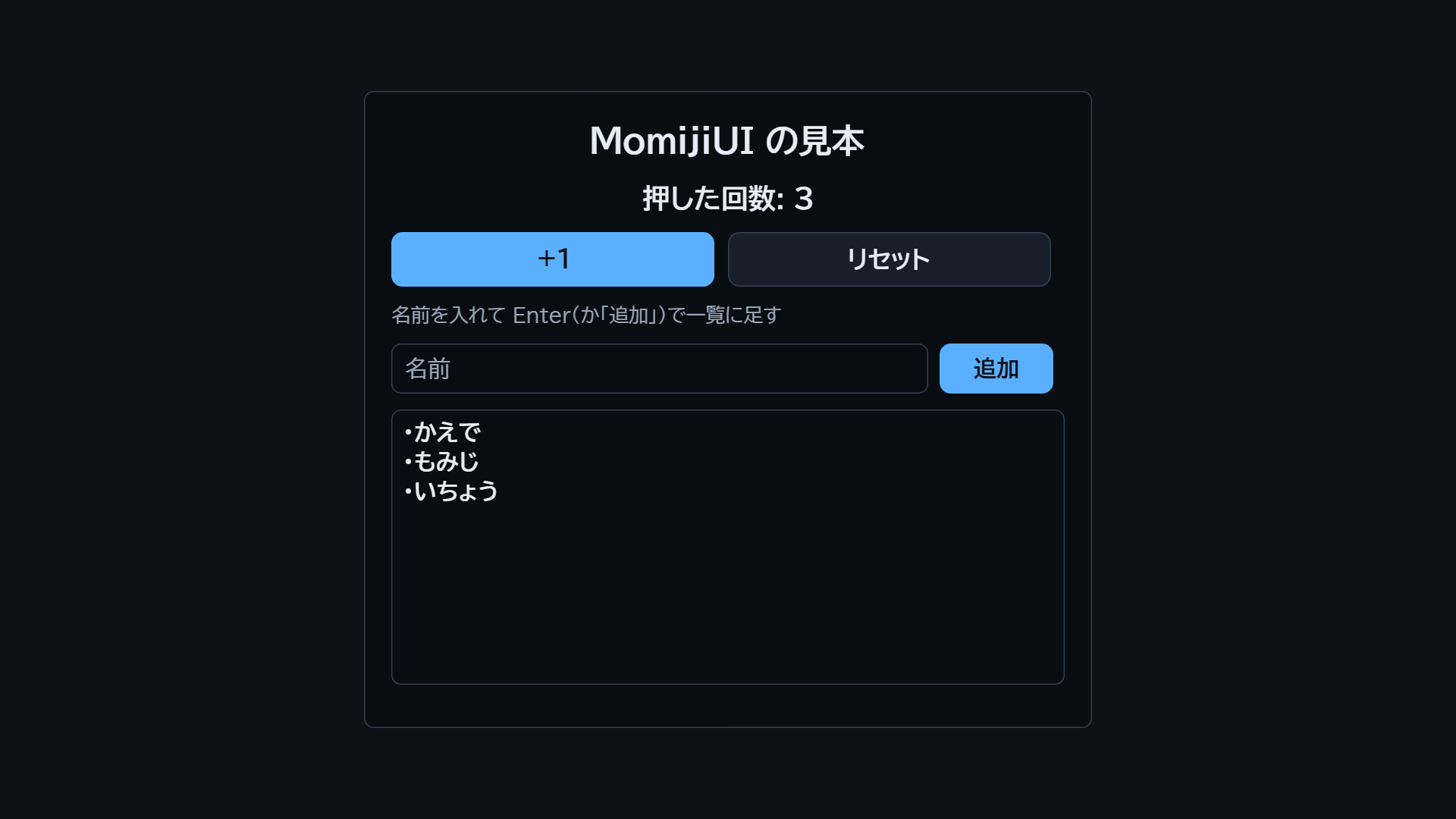
The sample counter 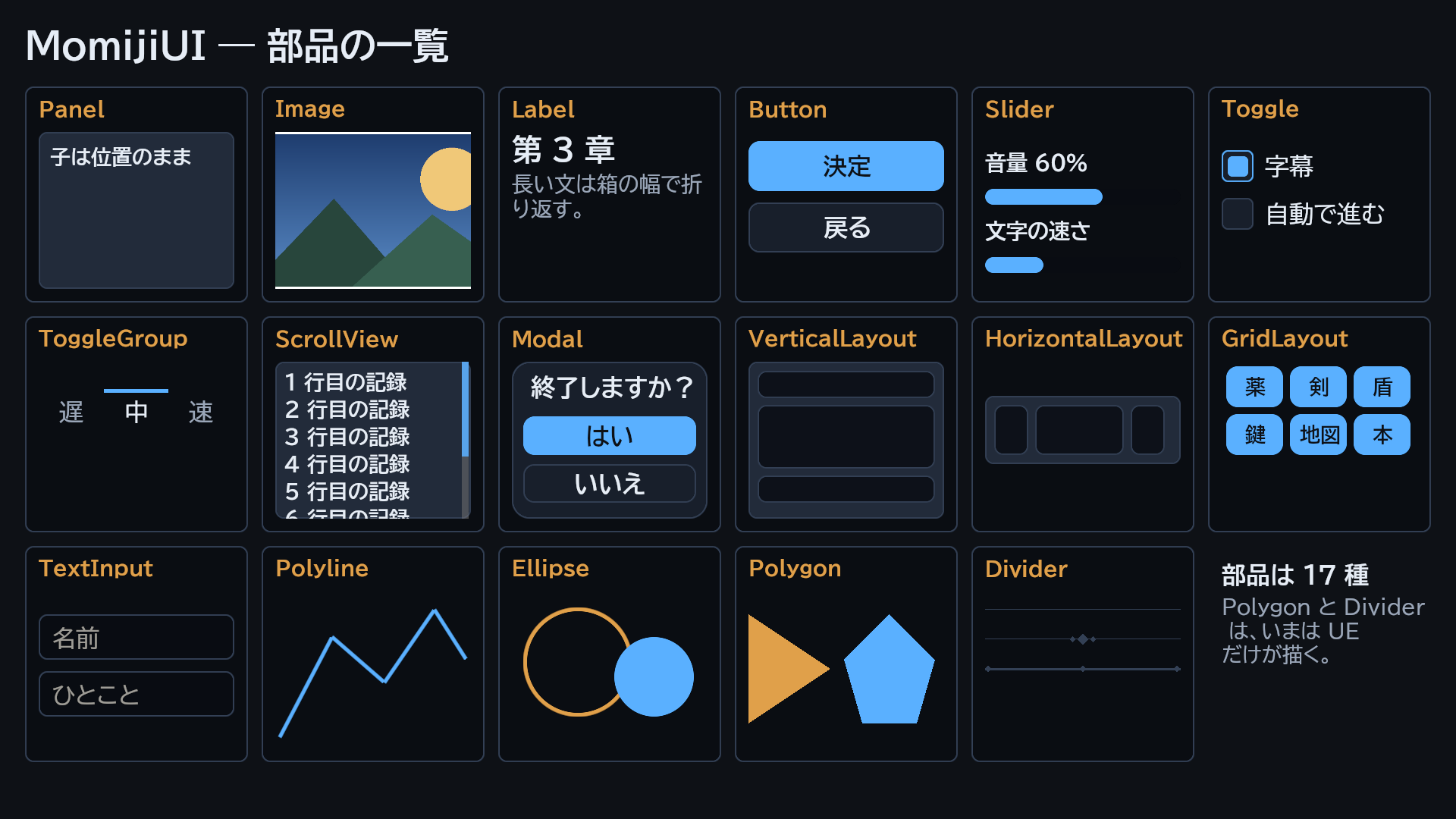
The 17 node types 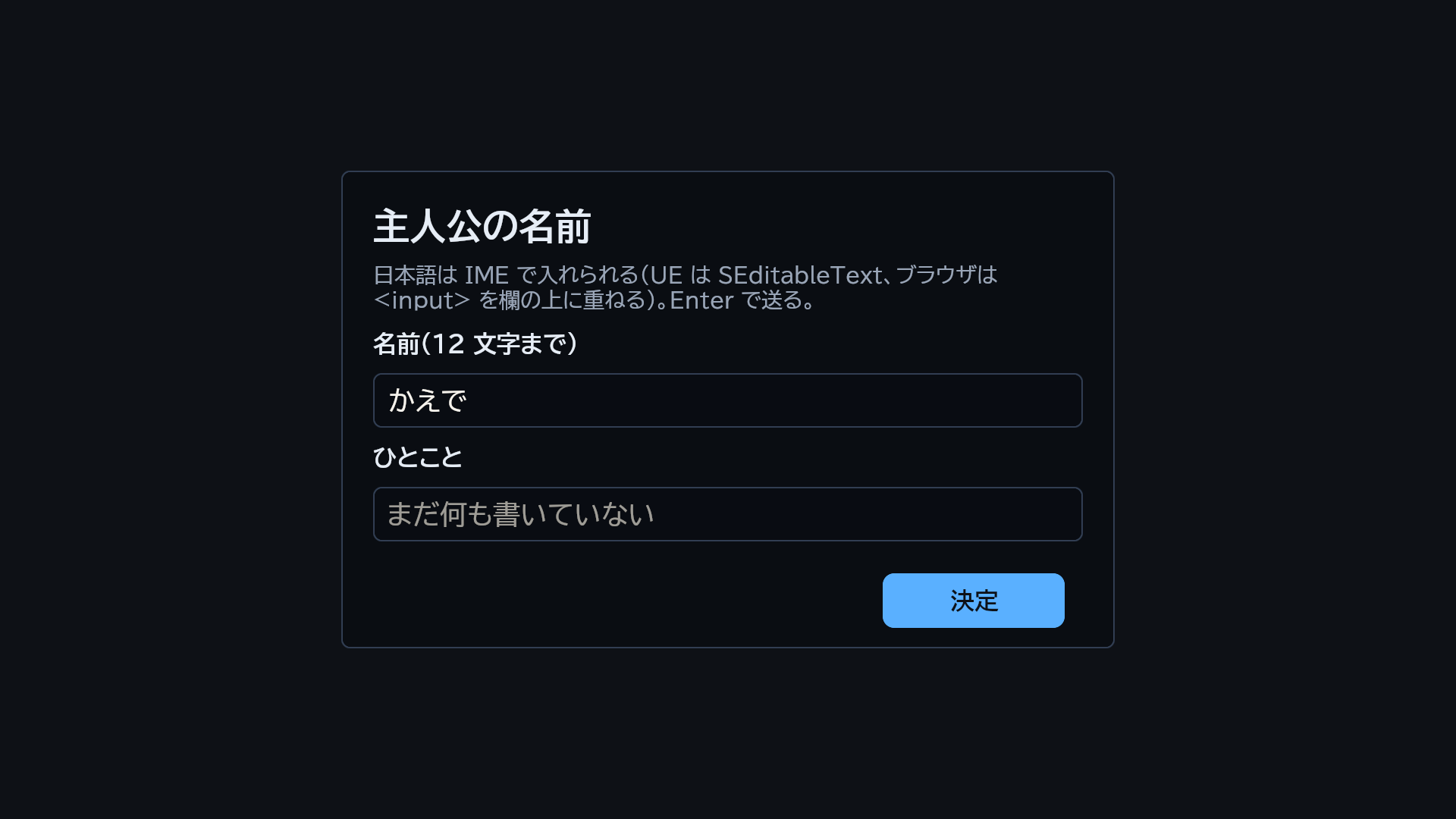
Text field with Japanese typed in 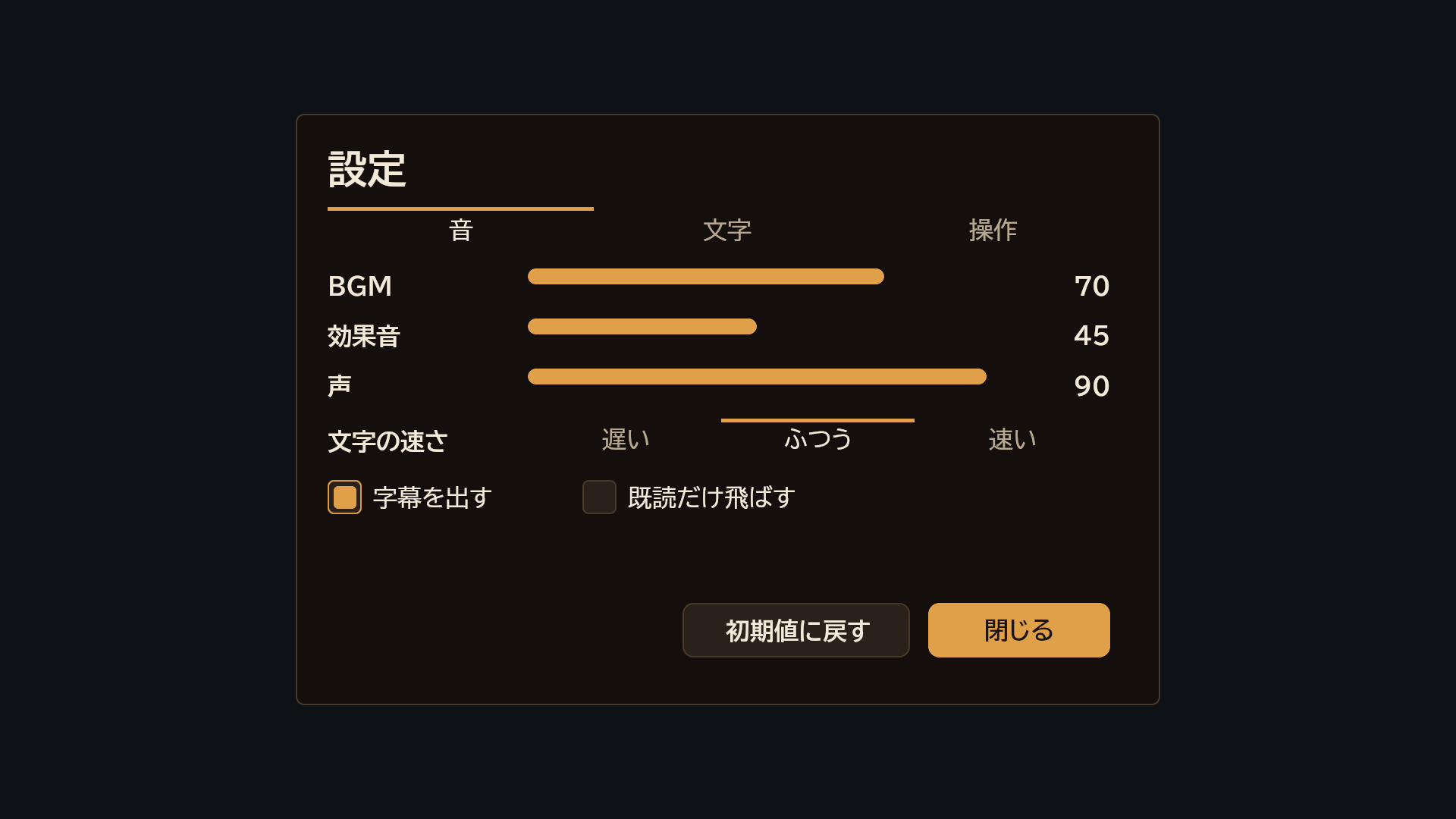
Built-in theme: atelier 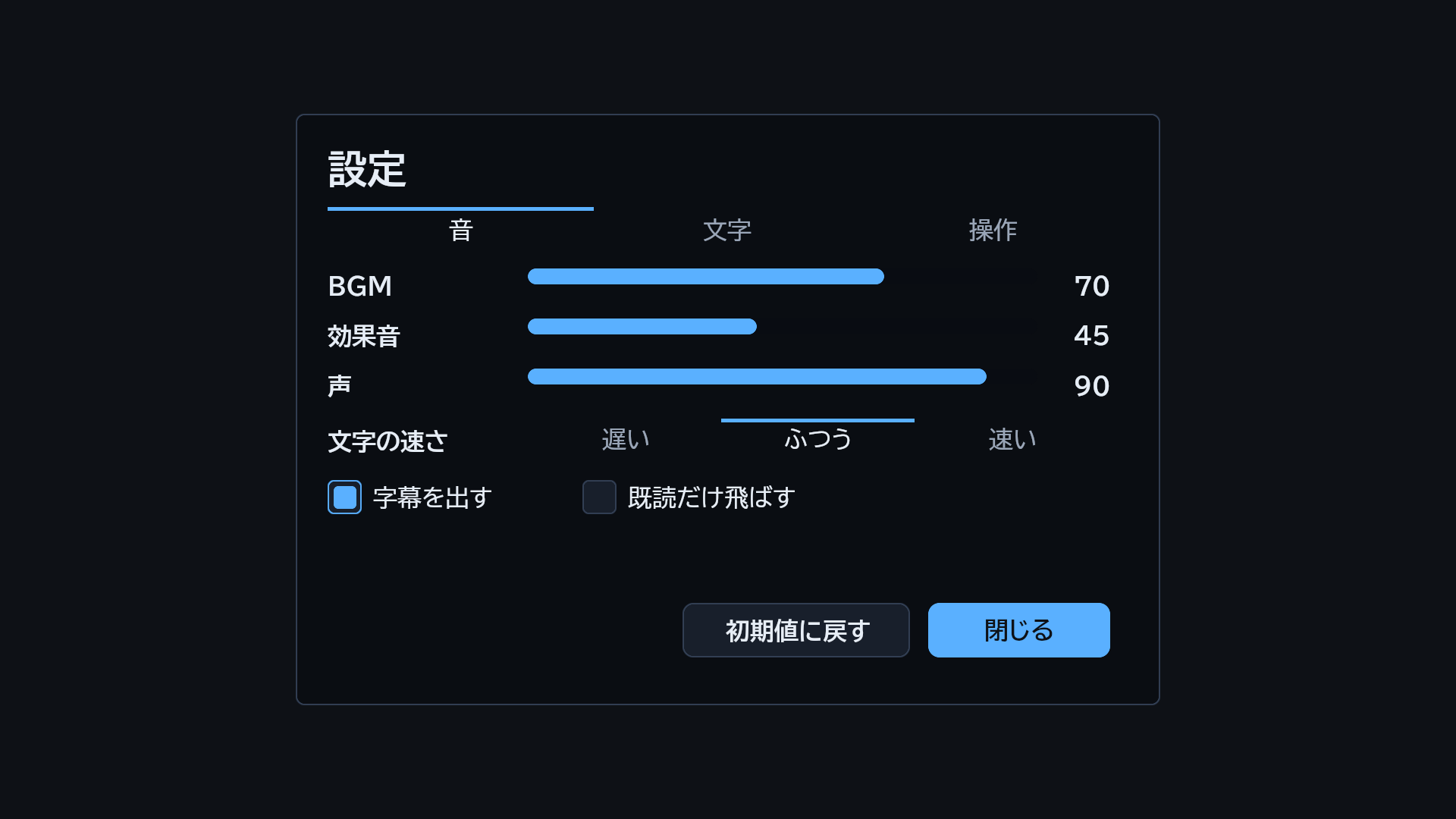
Built-in theme: midnight 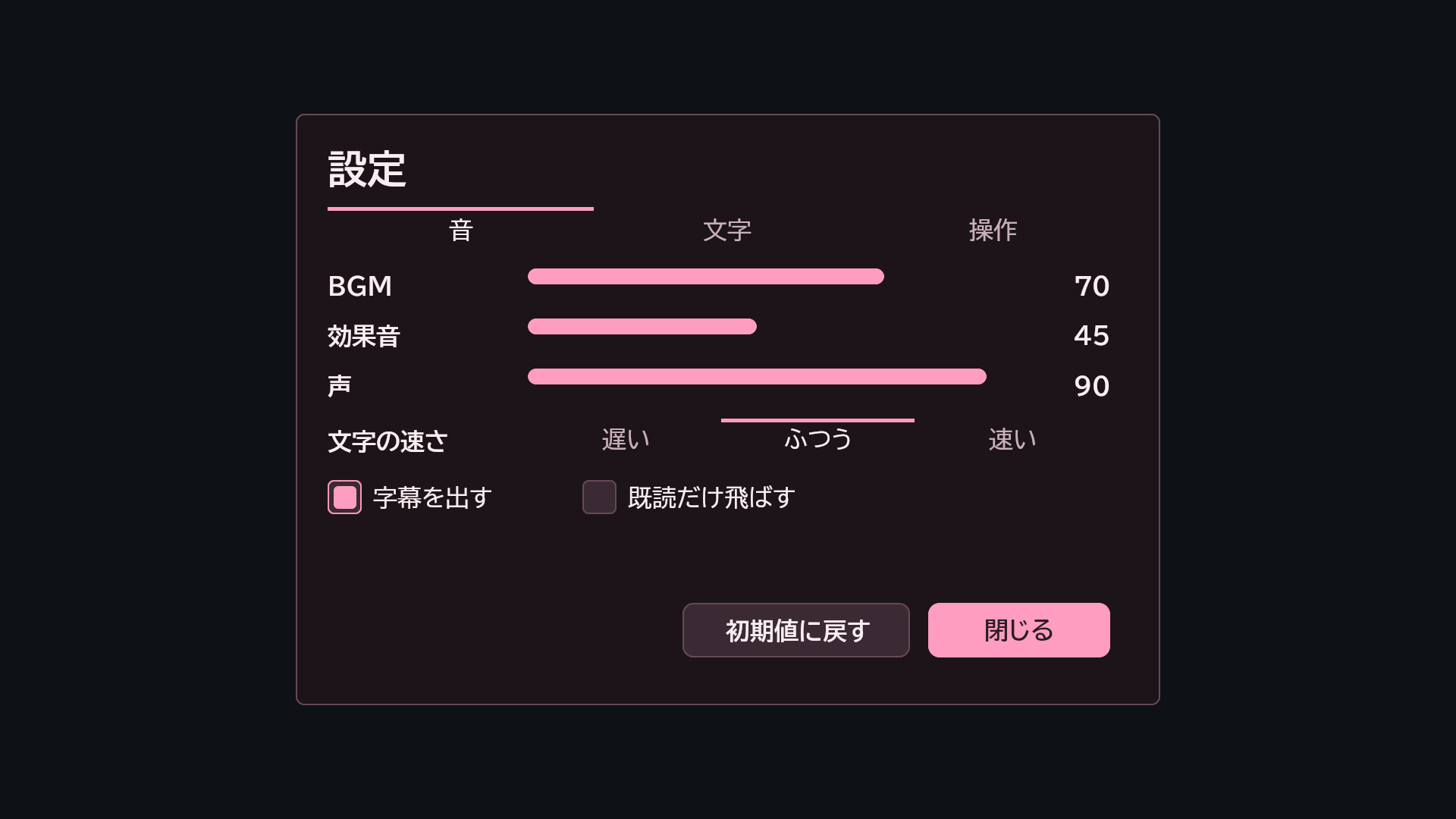
Built-in theme: sakura 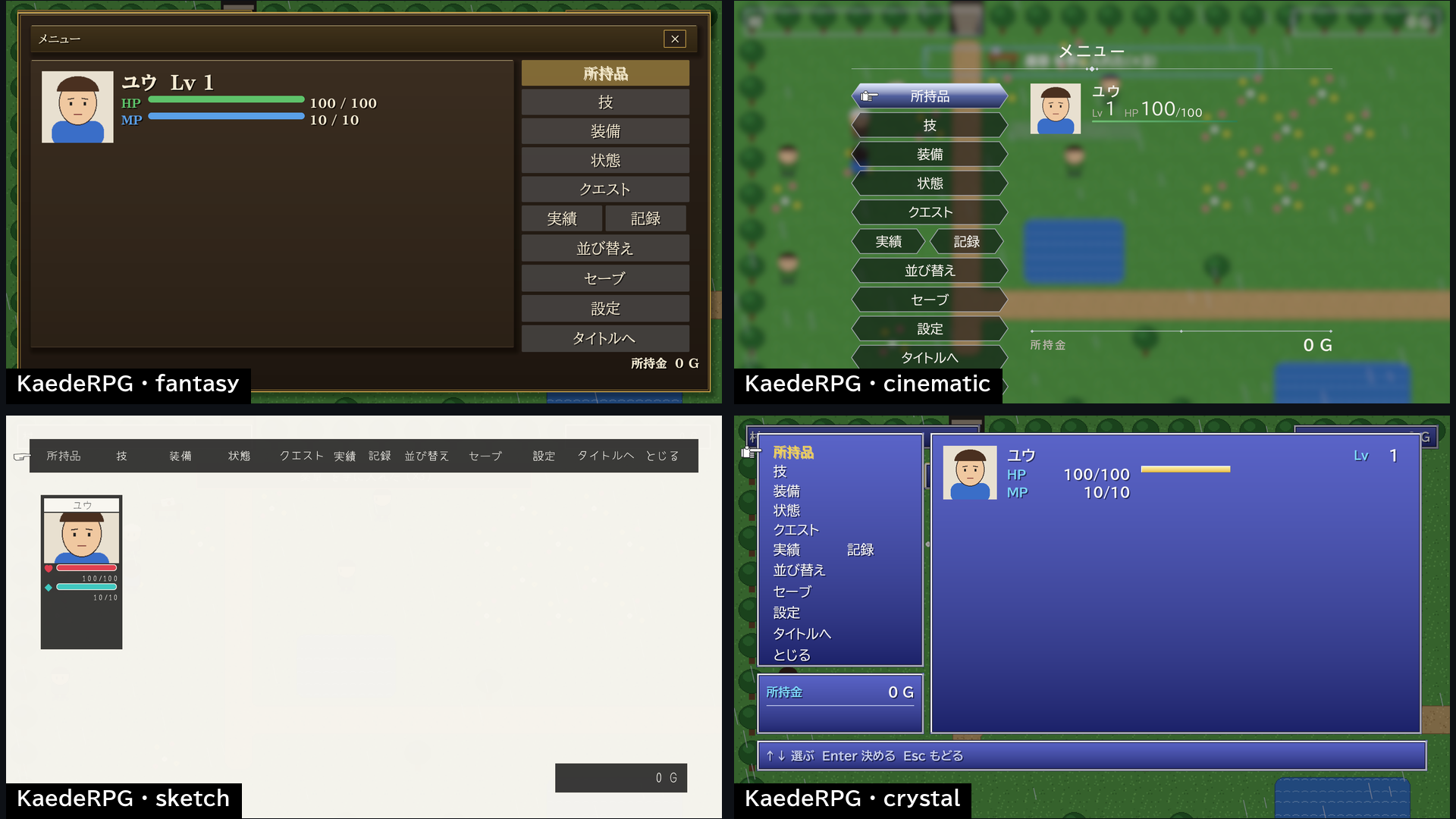
KaedeRPG menus drawn with MomijiUI 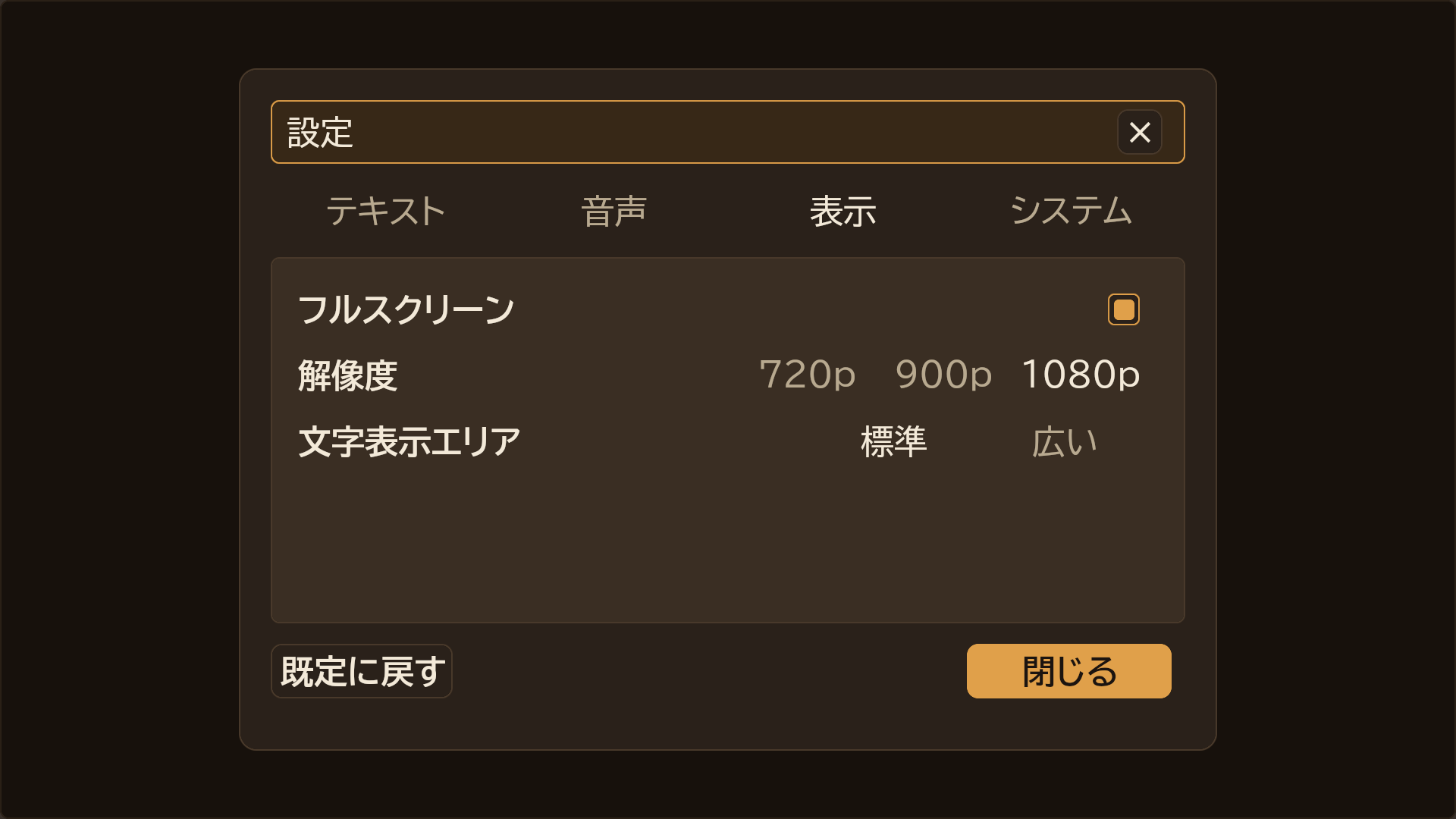
KaedeVN's config screen drawn with MomijiUI 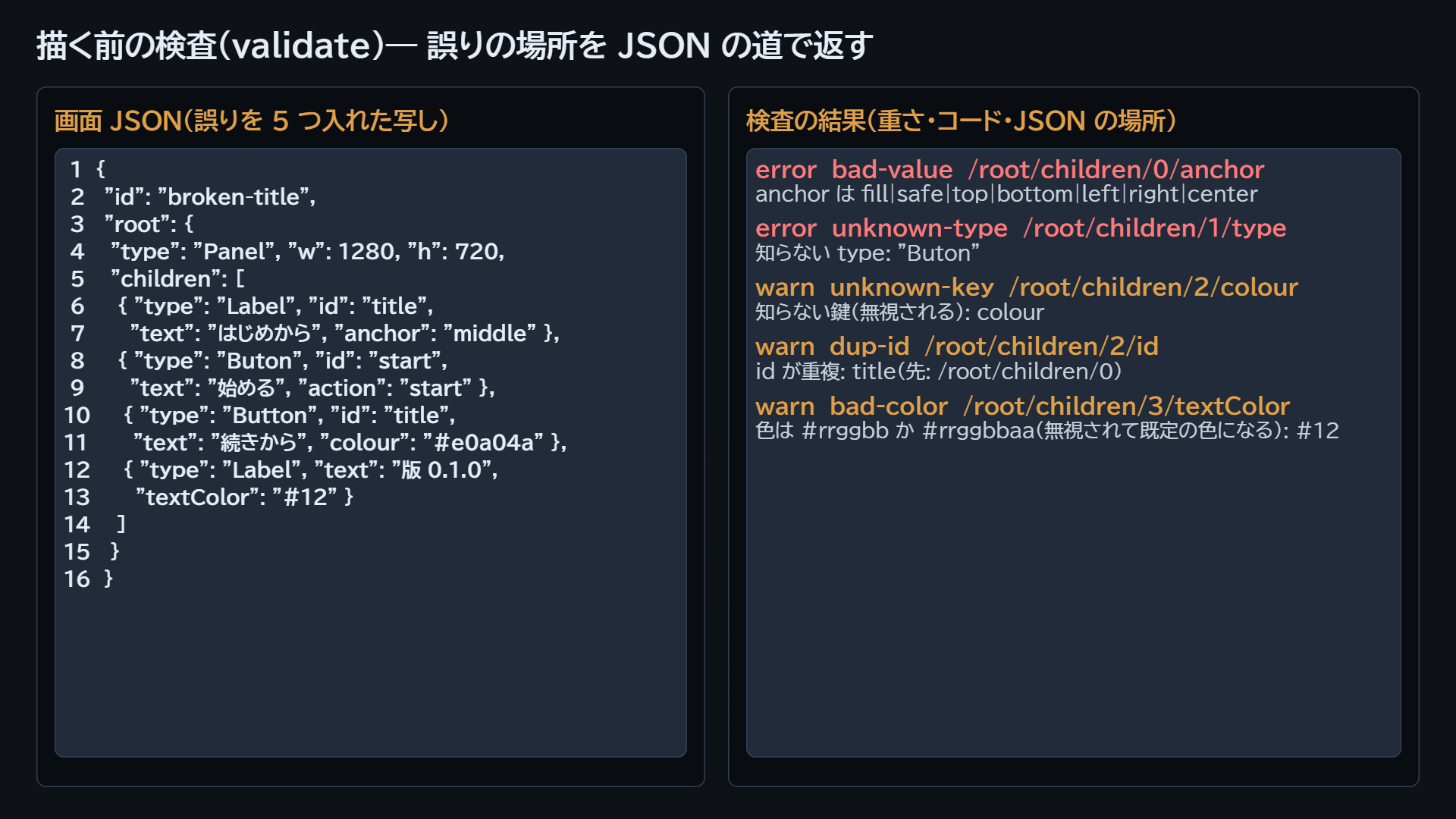
The check with JSON locations
技術の情報Technical details
| Item | Value |
|---|---|
| Features | Screens as JSON drawn the same way in UE (Slate) and the browser; 17 node types; layout with flex, grid, scroll and anchors; values, lists and conditions; focus moved by position (keys in the browser; keys and gamepads passed in by your program); text fields with IME; text selection and copy; 9 animation keys; 3 built-in themes and theme JSON; check with JSON locations; four bundled font families |
| Code modules | MomijiUICore: Runtime; MomijiUISlate: Runtime |
| Number of Blueprints | 0 |
| Number of C++ classes | About 60 |
| Network replicated | No |
| Supported development platforms | Windows |
| Supported target build platforms | Windows |
| Supported engine version | 5.8 |
| Example project | Sample screen in the plugin at Examples/counter.json; launch the editor with -KaedeUiExample=counter and press Play to see it |
| Important / additional notes | Used from C++ (no Blueprint nodes). The browser version is published separately on GitHub (https://github.com/kaedeasset/momiji-ui). Third-party: nlohmann/json 3.11.3, MIT. Fonts BIZ UDPGothic, BIZ UDPMincho, Yomogi and DotGothic16, SIL OFL 1.1 |
すべての版All versions
- 0.1.0 最新(0.1.0)latest (0.1.0)2026-10-21